Silyeek-Tech

Projects from year 1998 until NOW ... - Developed by AHYEEK

Saturday, November 15, 2008

Genetic Algorithm (GA) In Solving Multi Variants Problem Implemented In Ms. NET C# (Multivariate Genetic Algorithm Solution)

Year: 2008
Programming Language & Tools: Microsoft .NET C#
Source code / Request for customization: www.geneticalgorithm.ahyeek.com
Application For Test: Download

Optimization Using Genetic Algorithm In C#
This is a Multivariate Analysis and Solver using Genetic Algorithm methodology. Simulation application implemented in Ms. Net C#.

Assume we have certain number of farm lands (in area). Each land contain 2 types of insect. Assume we have certain number of fertilizer to be chosen to use where each of them having different cost (per area) and killing effectiveness (in %) for each type of insects.

By using Genetic Algorithm and Dynamic Programing technique, we want to find out, which fertilizer used for each land that satisfied minimum insects of number and also minimum cost of fertilizer.

Imagine if you have 50 farms and 30 types of fertilizer to choose. In order for you to obtain a promising solution by examining all possible combination, it will take years in the computational power we having now.

Using GA in solving multi-variant problem like this need a suitable data structure to represent the problem space. Representation of chromosome and DNA (element in each chromosome) need to be designed in a way to combine different farm lands with fertilizer. By randomly pair the farm land with the fertilizer, checking the fitness value in each chromosome, performing GA operation process to obtain a best fitness value chromosome. Then, the solution set can be obtain by retrieving the information in DNA from the chromosome.

You can go to: GA Project Coding Service for requesting the methodology document in details.

For understand another example of GA in solving shortest path problem, refer to:
Genetic Algorithm (GA) In Solving Vehicle Routing Problem

or access Genetic Algorithm (GA) In Solving Vehicle Routing Software Package

Genetic Algorithm process:
1. Perform a number of loops according to the generation.
2. For each loop:
a. Depend on the chance, perform Cross-Over operation.
b. Depend on the chance, Perform Overlapping operation.
c. Depend on the chance, perform Mutation operation.
d. Perform sort operation on the chromosome list.


Friday, May 23, 2008

Product Working In A Bioinformatics Company

Genseq is a start up company incorporated in Jersey (C.I.), which has been founded by two successful entrepreneurs to offer affordable genome sequencing and bioinformatics analysis of the resulting data. The first human genome sequencing was successfully complete in 2005 by the Human Genome Project, a US$3 billion public funded program and by Celera genomics, a private company at a cost of over US$300m. For more information, refer: www.genseq.co.uk

Product developed: www.MyFamilyHealth.com
How is it useful?
# Connect with your relatives to record and track an accurate and up-to-date family health history.
# Find out which diseases and health problems run in your family.
# Discover if you or your family members are at risk of certain diseases - even one's that might otherwise not be considered by your doctor.
# Discover if you or your family members need a specific diagnostic test.

Latest technology developed:
Provided a plug in engine, that able to provide the system in your own site.
This is the example: http://MyHealthyFamily.blogspot.com

Friday, June 29, 2007

Training Certificates 2006 & 2007

Certificate of Completion For "Introduction to UML"

Training Certificate For "Programming With C#"


Certificate Of Participation For "Architecting Entreprise Software"


Microsoft Certificate Of Achievement For Advance Windows Forms Technologies


Workshop For Microsoft Visual Studio 2005

Thursday, June 21, 2007

Image Processing Research Journey Started ...

Year: 16 Jun 2007
Programming Language: Microsoft .NET C#
Source Code: Email author ahyeek@gmail.com
Simulation Application For Test: Download

I always tell my friends that "Image Processing (IP)" technology can be translate as "The Ability For Machine To view". I considered it as 1 of the A.I knowledge in computer science and really interesting.

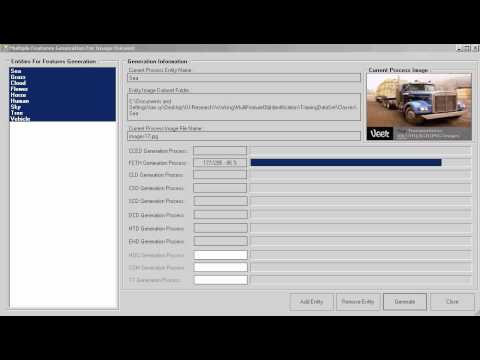
Below are some of the examples I did using C#. Below is the first example, which the example is research on 'Thresholding' technique (see Image [a]). In order to thresholding a color image, I translated the color code for the color image into a gray scale image first (see Image [b]) before doing any further filtering operation. The third example is doing the invert filtering (see Image [c]).

(Image [a] - Threshold Image Filtering Example)


(Image [b] - Gray Scale Image Filtering Example)


(Image [c] - Invert Image Filtering Example)

Monday, June 04, 2007

Certificates Of Acchievement & Award

Gold medal award of the Invention Exhibition of New Invention, Techniques and Products 2005, Geneva, 8 April 2005.

ITEX Bronze Medal award of the 16th International Invention Innovation Industrial Design & Technology Exhibition 2005 (ITEX 2005), Kuala Lumpur, Malaysia, 19th-21st May 2005.

“Saintis Cemerlang 2005” awarded by Ministry of Higher Education, 23 August 2005.

Degree Of Master Of Computer Science

Degree Of Bachelor Of Computer Science

Participated in MSC-Technopreneur Development Seminar & Workshop, 31st May 2004


Represented University Of Malaya in the ACM International Collegiate Programming Contest, Asia Region Contest held in Hong Kong in October 2000.


Participated in The IBM Industrial Training Program

Tuesday, April 17, 2007

ADALINE TDL Neural Network Simulation In CSharp (C#)

Year: 16 Apr 2007
Programming Language: Microsoft .NET C#
Source code / Request for customization / Request a new custom made simulation, you can email to author : ahyeek@gmail.com
Simulation Application For Test: Download

As we know, neural network is a mathematic model that can be trained in order to "learn" certain information and able to perform some so called "intelligent" decision such as recognizing certain data pattern or understand certain object in a picture.

This Tapped Delay Line (TDL) neural network is using the previous value on a graph to train it and used to predict a furture value. Given points from a graph as (x1, y1), (x2, y2), .... , (x(n-1), y(n-1)), TDL Nnet with (n-1) delay step is able to predict (x(n), y(n)) by giving it the (n-1)previous values. For each iteration, the Neural Net will get trained again and again in real time by suplying the actual value to the Neural Net. Hence, we consider TDL is a real time neural network because the training mechanism can be done in real time.
When you try to run the simulation application, try to observe that the average error values will decrease when the iteration increase. You can try to use differerent data set and observe how the ADALINE TDL neural net perform its prediction. The weight values of the neural net will become stable while the error of prediction value is low. Observing that the predicted value (graph blue in color) is not overlap with the actual value (graph in yellow color) at the beginining. However, it will slowly overlap each and other after some iteration. This is because the neural net has been trained and recongnize the pattern of the given graph.

Please refer to the demonstration for further information. This demonstration has been implemented in Java 4 years back: ADALINE with TDL Neural Network model. But now, the author implement it again in 2 weeks time with some enhancement (using moving graph component - CSharp (C#) Control Component - Moving Graph Control) in C#.

You will observe the predicted values from the simulation will become more and more accurate after some iteration. The average error value will reduce while the iteration increase. The neural network will become more and more 'intelligent' in predicting the next value of the graph after it has been thought for some time. You can choose different graph set to test out the Nnet using the simulator. By noting down the result, you actually can compare what properties values of the neural net are the best setting for obtaining fastest and lowest error value. The "Delay Step" and "Learning Rate" are the properties that determine how fast the neural network are able to be trained and how accurate the predicted value.

Sunday, April 08, 2007

CSharp (C#) Control Component - Moving Graph Control

Programming Language & Tools: Microsoft .NET C#
Year: Apr 2007
Testing Application: Download
Source Code : ahyeek@gmail.com

Have you ever think to have a CSharp (C#) control that allow you to store and display your scientific calculation values computed from your research application? No doubt, if we can represent our numrical scientific calculation data in graph format, it will increse the efficiency in our research in term of examine the correctness of our algorithm as well as methematic models.
This Ver 1.0 graph component is build to cater this purpose. Below is the list of the avaialble features:
ExMovGraph Ver 1.0.0.0 Features:
  • Allow user to input 3 set of values at 1 time and display them on the graph. Each graph can be represented by using different colors. This enable user to compare 2 to 3 set of scientific calculated values under the same scale.
  • Allow user to set a graph scale (can take negative (-ve) value and minimum scale and positive value as maximum scale). For example, [-1 to 1].
  • Enable to turn on and off the horizontal and vertical grid display. User are allow to set the color and gap (in pixel) for the grid.
  • Enable user to set the size of the graph' drawing line.
  • Display total number of graph's point currently available in the graph component.
  • Allow user to set for auto scroll the graph display (display the latest input graph point) or scroll to the previoius or any portion of the graph at anytime. (By turning off the "Auto Scroll" indicator)
  • Allow user to set their own graph title with the color they like, as well as the scale display color and graph border color.
  • Allow user to set the graph display format, either as point form or as line form.
  • Allow user programatically clear the graph data or other graph properties setting at anytime.

A testing program of this graph components are available for download. Please feel free to test it out and post the author some comments. If you wish to use the component, please drop an email to the author.

P/S: Do not hesitate to email the author if you have any special idea or enhancement features you think you like, the author will get it implemented in the future version. Thanks!

Monday, December 18, 2006

Learn CSharp (C#) Lesson 3

Year: 2006
Example Code: Download

  • How To Create Event Handler For A Control.
  • How To Add / Remove Event Handler At Running Time.
  • How To Use Status Bar.
  • How To Implement Control Events.
  • How To Use ListBox Control.
  • How To Use GroupBox And Panel Control.
  • How To Use ToolBar And ImageList Controls.
  • How To Create And Using ToolBar Control.
  • How To Implement Drag And Drop Operation.
  • How To Let TreeNode Selected When Drag Over To Add An Item As TreeNode.

Learn CSharp (C#) Lesson 2

Year: 2006
Example Code: Download

  • How To Create A Form, Set Form Properties, Form Life Cycle, Form Events, Designer Generated Code.
  • How To Create A MDI Application.

Learn CSharp (C#) Lesson 1

Year: 2006
Example Code: Download

  • How To Create A Form, Set Form Properties, Form Life Cycle, Form Events, Designer Generated Code.
  • How To Adding Controls To A Form.
  • How To Add Menus To A Form.
  • How To Customize The Controls Toolbox. (Status Panel Bar).
  • How To Organize Controls On A Form.
  1. Anchor Examples.
  2. Dock Examples.
  3. Set The Tab Order For Controls.

Monday, July 17, 2006

Research On Try-Catch-Finally Model Work

Year: 2006
Example Code: Download

This example is to test how the Try-Catch-Final architecture work.

Specified scenario to check on:
To test will the FINALLY statement in the TRY-CATCH block is still being executed if we issued another THROW statement in the CATCH block before the code reach the FINALLY block.

The answer: YES

**Note:
This is the simple research that I have completed and shared with my Intel development team. A simple award recongnition was given by the team member:


Saturday, March 11, 2006

Genetic Algorithm (GA) In Solving Vehicle Routing Problem

Year: 2005 - 2006
Programming Language & Tools: Microsoft .NET C#
Source code / Request for customization: www.geneticalgorithm.ahyeek.com
Application For Test: Download

This simulation was developed to learn Genetic Algorithm and coded in Ms. Net C#. The problem that the author faced was to solve the vehicle routing. In order to implement and visualize how GA perform in solving the problem, the simulator was impemented with a random generated map. Users can actually provide the number of locations he/she wants and how many roads connect to each location, then the map generator will generate a map with the corresponding setting.

Several parameters need to be provided before performing the GA to solve the problem. The parameters are basically the GA needed parameters, such as Population size, Cross-Over Rate, Mutation Rate and Number of Generation. User need to determine the source and destination on the map before simulate the solutions. The system finally will give a path that connect the source and destination location as well as the distant and time using the path. The goal is to get the shortest and fastest route for travel from source to destination.

Furthermore, the simulator actually build in another algorithm - Dijikstra Algorithm. This algoritm is the best and fastest algo in solving shortest path problem. It's actually used to compare wtih GA in solving a specified situation. Simulator also build in with all potential path generation mechanism, but it depend on maps and the source and destnation location that user choose. Sometimes, it will take long time to get all the posible paths generated. However, this mechanism is actually implemented in a thread manner that user actually can generate the potential path and let the simulation run synchronizely.

There are a lots of other useful an interesting features implemented in the simulator and the author think it will be too much to state here. So, let download the system and try it! You will discover more....


Biological Cell Model On Grid Computing

Year: 2005 - 2006
Programming Language & Tools: Microsoft .NET C#, Alchemi
Addtional documentations :

  • Cell Grid Computational System Flow Download
  • General Presentation Of Cell Grid Computation System and Alchemi Download

Simulation System Flow:
  • Construction Data Structure Of Cell Model
  • Initialize Timestep For Simulation
  • Distribution Cell Computational Tasks to Executor Node(s)
  • Computational Tasks Of Each Cell Are Executed
  • Collect Computational Results From Executors
  • Update Computational Results For Cell Model
  • Increase Timestep to n+1
Biological Cell Model On Grid Computing Conceptual Diagram:

Cell Grid Simulation Engine:

Tuesday, March 07, 2006

Dynamic Cardiac Mechanics Based On Fiber-Fluid Model

Year: 2004 - 2005

Programming Language: OpenGL, C, C++, Titanium
Award:
  • Gold medal award of the Invention Exhibition of New Invention, Techniques and Products 2005, Geneva, 8 April 2005.
  • ITEX Bronze Medal award of the 16th International Invention Innovation Industrial Design & Technology Exhibition 2005 (ITEX 2005), Kuala Lumpur, Malaysia, 19th-21st May 2005.
  • “Saintis Cemerlang 2005” awarded by Ministry of Higher Education, 23 August 2005.
  • Gold Medal award of the IPTA Expo 2005, PWTC, 2 October 2005.
Thesis : Download
Master Presentation: Download
OpenGL Source Code acquisition: Email toahyeek@gmail.com
Published Journal:
  • N.Selvanathan, S. Y. Tan, S.Nagappan and M.Sankupellay. “The fiber-fluid model of the human heart”. Journal of Science & Technology in the Tropics, Vol 1. No. 1, Jun 2005.
  • S. Y. Tan, Selvanathan Narainasamy, Somasundaram Nagappan. “NON-INVASIVE METHOD FOR PATIENT-SPECIFIC VIRTUAL HEART BASED ON FIBER-FLUID MODEL”. Journal of Mobile Multimedia, Vol 2, No 1, 2006.
RESEARCH OVERVIEW - Research Framework
  • Virtual Human Heart allows:
    • Heart Surgery Planning
    • Training of Cardiologist
    • Drugs Testing
    • Detailed Diagnostics
    • Education of Cardiologist
Research framework for virtual heart model undertaken at University Malaya [1]:

[1] N. Selvanathan, Sieow Yeek Tan, Somasundaram Nagappan, Mangalam Sankupellay. (2005). The Fiber-Fluid Model Of The Human Heart. J. Science and Technology in the Tropics, Vol 1.

RESEARCH SCOPE
  • 3D Rule-based cardiac fiber reconstruction mechanism.
  • Immersed Boundary Method for fiber-fluid model.
  • Titanium for distributed and high performance computing.
  • OpenGL technologies for Visualization.

INTRODUCTION - Rule-Based Cardiac Fiber Reconstruction
  • Novel technique : 3D Rule-based fiber orientation reconstruction.
  • A single fiber consists of a set of fiber points.
  • The fibers are constructed from a set of points (material points from epicardium) by registering them into a fiber.
  • The selection mechanism of a registered material point will influence the constructed fiber sheet architecture.
  • The mechanism is controlled tightly by a set of pre-defined rules that has been related carefully based on the formation of the fiber orientation.
  • The rules take into consideration of:
    • Fiber orientation angle
    • Direction of fiber path
    • Overlapping between two or more fibres
    • Duplication in registered fiber points
[1] Fox and Hutchins (1972). Johns Hopkins Med. J. 130(5): 289-299.

INTRODUCTION - Immersed Boundary Method
  • Proposed and developed by Charles Peskin and David McQueen.
  • General numerical methodto efficiently simulate systems that are represented by elastic fibers immersed in an incompressible fluid [1].
  • Fibers are considered as elastic material.
  • Blood can be treated as a Newtonian fluid.
[1] Peskin, C. S. and McQueen, D. M., 1995. A general method for the computer simulation of biological systems interacting with fluids. Symposia of the Society for Experimental Biology, Cambridge, UK, Vol. 49 pp. 265-276.

INTRODUCTION - Visualization
  • An important concept to display the simulated results on the computer screen.
  • Translate numerical results into complex 3D objects.
  • Interactive computer graphic is required during the model design and result analysis [1]:
    • 3D objects can be animated, rotated, turned on and off.
    • Magnify into any region of interest.
  • [1] McQueen, D.M and Peskin, C. S. A Three-Dimensional Computer Model of the Human Heart for Studying Cardiac Fluid Dynamics. ACM Siggraph, 2000, Vol. 34 No1.
Application of visualization techniques:
  • Description of Fig (a) and (b):
  • Displays the fluid flow and temperature distribution in a reactor.
    • Fluid flow is represented as vector data (ribbons) and temperature as scalar data (colors).
  • Displays fiber direction (yellow).

Methodology Outline

Acquisition of MR Images
  • A set of high-resolution 2D MR images were obtained from a volunteer (27 years old healthy man) on breath-hold LV at the starting of systolic stage.
  • Volumetric images are scanned based on T1-weighted Magnetization Prepared Rapid Acquisition Gradient Echo (MPRAGE) images with the dimension 256 x 256 x 16.
  • Materialise Software “Mimics” was used to help in obtaining the images from MOD disk.
  • Some selected MR images are shown below:

3D Left Ventricle Contour Model
  • Segmentation:
    • Image pre-processing to reduce image noise.
    • Filtered a series tested of threshold values.
    • Edge detection algorithm to identify and extract the ROI (LV).
    • Segmentation algorithm using Active Shape Model (ASM).

  • 3D contour model:
    • Stacking all the contours (Fig. a).
    • Transform all the 2D contour points into a 3D Cartesian coordinates.
    • Scaled and translated the model to the centre of 64 x 64 x 64 3D experimental space (Fig. b).

Vertical Interpolation
  • VI key points set is a set of key points identified throughout all the contours, noted as (K1).
    First key point is identified in contour 1 (P
    1).
  • Evaluate the minimum distance between P1 and the key point on the contour 2 (P2).
  • The same procedure is repeated till contour n.
  • The VI points for set K1 is obtained by interpolating all the key points from P1 to Pn.

  • The figures show the vertical interpolation process is being executed and the screenshots were captured from different points of view.
  • Blue color points represent the vertical interpolated points while the contour points are in red color.

Horizontal Interpolation
  • Key points are identified from vertical interpolated points.
  • A maximum set of horizontal key points for each gap is fixed based on the maximum vertical interpolated points available in that gap.

  • The point’s index in a horizontal key points set are arranged into a ‘ring’ manner.

  • Figure below show the horizontal interpolation process was executing which captured from our visualization program from different points of view.

** Detail interpolation demo can be downloaded from here and view vie IE. (Note: Drag the downloaded GIF file to your IE or Open with your IE.) Download

Rule Based Cardiac Fiber Reconstruction

  • Rule and algorithm schematic. Please refer to the presentation, thesis or published paper for understand the fiber construction algorithm.

  • Figure above show the required data representation in forming a single heart fiber in 3D environment and the model.
  • Figure (a) and Figure (b) is the schematic to show how the fiber angle was formed in 3D space.
  • Fiber path and fiber direction schematic. (Third figure).
  • The author has faced difficulties to get the complex set of mathematic equations to be published on HTML web page. Please refer to the Master Presentation or Theis for the detail algorithm in constrcuting the heart fiber direction.

Refinement of Fiber Model
  • Fiber-Point interpolation:
    • Every pair of consecutive fiber points in each fiber list has varying gaps between each other.
    • Some of the large gaps may cause inaccuracy during cardiac simulation.
    • The gaps for each pair of consecutive points is needed to be limited to a reasonable distance.
    • Applied to generate additional points in order to refine the fiber model (a).
  • Fiber-Based Least Mean Square analysis:
    • A fiber set will be removed if the fibers are too close to each other (b).
    • When gap exists between two adjacent fibers is huge, a new fiber set need to be constructed (c).
    • Fiber-Based Least Mean Square (FB-LMS) analysis on all pairs of adjacent constructed fiber sets.
    • The LMS value of two adjacent fibers set is used to identify whether the two fibers are too far or too close from each other.


** Detail fiber construction demo can be downloaded from here and view vie IE. (Note: Drag the downloaded GIF file to your IE or Open with your IE.) Download

Adding Aortic Heart Valve
  • A set of points from the constructed fiber model is obtained to act as the reference points.
  • Adding the aortic valve to the fiber model aim for obtaining more realistic cardiac simulation results.
  • Concentrated to build the aortic valve model.
  • Obtained from the first point in each of the fiber set from model Ĥ.
  • Generate the centre set of reference points from the original valve reference points.
  • Combine the centre set of reference points to the valve reference points on the right hand side to form the mitral valve’s reference points.
  • Combine the centre set of reference points to the valve reference points on the left hand side to form the aortic valve reference points.
  • Divide the aortic valve reference points to three segments. Each segment is 120o sector.

Fluid Marker Generation
  • Fluid marker is a set of fibers which they do not contribute any forces during cardiac simulation.
  • Their movement will be influent by their surrounding fluid.
  • Used to analysis the blood movement inside the LV chamber.
  • Conform in terms of physical location within the constructed fiber model.
  • Fluid markers are generated at multiple horizontal layers, each layer consists of multiple rings.
  • Analyze the fluid dynamics at different locations in the LV chamber.

Visualization - Environment and Programs
  • Developed a series of visualization programs.
  • Equipped with interactive computer graphics features .
    • Toggle appearance of fiber in our heart model in real time.
    • Interactively change our point of view.
    • Rearrange data sets in frame by frame manner to produce animation effect.
    • Allow us stop at a certain frame that we are interested.
  • ØVisualize the simulate processes of fiber reconstruction mechanism.
    • Verify the constructed fiber results in real time.
    • Significant advantage: allows observation and modification of rules and simulation parameters setting.
  • OpenGL Utility Toolkit (GLUT) 3.6. and C programming language.
    • Compiled to run in Irix 6.5.13, SGI workstation, 2.4 MHZ Processor speed, 2GB of memory space.
Results
Rule-Based Cardiac Fiber Reconstruction
  • ØReconstructed Cardiac Fiber model shown without the model points.
  • 1,200 fibers (yellow path) which contain 584,589 registered fiber points.

Refinement Of Fiber Model
  • ØFiber model is constructed by 1,038 fibers with the total of 371,658 fiber points after the refinement processes.
  • ØModel is captured from different point of view.
  • ØFiber model with some of the fibers turn off in order to view inside of the heart chamber.

Aortic And Mitral Valve Fiber Model
  • a.a) The constructed mitral valve fiber model shown in different point of views.
  • b) b.Mitral valve fiber model location relative to aortic valve fiber model.
  • c.c) The location of the valve fiber model (white) relative to the whole LV fiber model (green).
  • d.d) First, second and third segment of aortic valve fibers together with the full aortic valve fiber model by combining each of the aortic segment.

Simulation Results
Cardiac Fiber Simulation
  • ØImmersed Boundary Method applied, simulate 1024 time step consumed approximately 11 CPU hours.
  • ØFigures show the dynamic of LV cardiac muscle for each 0.05ms start from the beginning of ejection stage. Arranged from left to right for first and second row.

Blood Flow Simulation
  • The mechanics of blood flow in LV for each 0.05ms start from the beginning of ejection stage. Arranged from left to right for first and second row.

Aortic Valve
  • Aortic valve fiber dynamic start from early ejection for LV chamber. From (a) to (j), each frame represents the mechanics of simulated fibers muscle at different physical time. Start from 0.05ms for (a) and increase 0.05ms for the next. (j) shows the fiber dynamic at 0.5ms.

Fiber Model And Aortic Valve
  • The entire LV fiber model, including the valves fibers (white) and cardiac muscle fiber (green).


Result Analysis
  • a.a) The mechanics of blood flow nearest to the LV wall together with the cardiac fiber dynamic at the time 0.5ms.
  • b.b) 2nd and 4th layer of ring fluid markers from each of the horizontal layer at 0.5ms respectively.
  • c.c) The innermost ring fluid markers from each of the horizontal layers at 0.5ms.
  • d.d) Several selected horizontal layers (outermost ring) of fluid markers which located near the apex of LV chamber.
  • Observed that there are not much movement of blood at the middle of the LV chamber while the blood flow near the LV apex and the LV wall has a high expulsion.

Future Work
  • Cardiac Material Properties.
  • Myocardial Activation.
  • Cardiac Cell Model.
  • High performance computing on:
    • ØFiber-fluid model.
    • ØRule-based fiber reconstruction mechanism.
  • Fibrous-sheet structure.
  • Visualization system.


Simulation Results Materials for Download:
(**Note: For GIF files, you can open it in IE. For .MOV file, please download quicktime player for view it.)

Fiber_Construction_Movie

  • The heart fiber construction process for the total number of 550 fibers. Download
  • Others completed fiber construction movie (1700 fibers constructed). Download
Heart_Fluid_Marker_Movie
  • The fluid marker located near the apex of LV chamber simulation. The fluid markers are selected from 5 bottom horizontal layers and it is the outermost ring. Download
  • The fiuid marker located near the base of LV chamber simulation. The fluid markers are selected from 8 horizontal layers from the top and it is outermost ring. Download
  • The simulation of blood flow in LV chamber during systolic. All markers (all horizontal layer & rings) are turn on and the movie is captured (FullMarker.mov ). Download
  • Same as FullMarker.mov simulation but with different view of perceptions are captured. Download
  • Same as FullMarker.mov simulation but movie captured while horizontal view perceptions is changing. Download
  • Fluid marker simulation with only the inner most rings for all horizontal layers are turn on. Download
  • Fluid marker simulation with only the ring 3 and ring 4 for all horizontal layers are turn on. Download
  • Another fluid marker simulation with Ring 3 and Ring 4 for all the horizontal layers are turn on. The 8 horizontal layers of ring 2 are also turn on. Download
  • Fluid marker simulation with all outermost rings for all horizontal layers turn on. Download
Valves_Related_Movie
  • Simulation of the heart fiber contraction with valve attached. Download
  • Simulation of the tricuspid valve. Download
  • Simulation of the valve including the dummy aortic valve is turn on. Download
Interpolations Images
  • Contain images show the cubic Hermite vertical and horizontal interpolation process and results. Download

Friday, March 03, 2006

INFONERVE - Your Millennium Knowledge Repository (Online Multimedia Library Management System)

Programming Language: ASP, MySQL, COM+, Javascript
Brochures : Download
LIBS Presentation: Download
OMMS Presentation: Download
More information needed? Contact: ahyeek@gmail.com

INFONERVETM is a web-based online library and knowledge management software solutions, aims to provide an ideal solution to transform your library into digital information portal.

Project Missions:

  • Fasten deployment and digitization to help transforming traditional libraries into digital multimedia virtual libraries.
  • Empowering libraries to offer substantial information resources, allowing users to search, access and retrieve it in a seamless manner.
  • Connecting people, libraries, and information at anywhere, anytime, 24 hours a day, 7 days a week.

Leveraging with comprehensive features on cataloguing, circulation, periodical, OPAC search, personalization, user management and authentication, INFONERVETM facilitates library automation and effective information management for your library.

INFONERVETM shape the solution based on 19 key features:

1) User Authentication

  • System access control to authorized users
  • Configurable feature links to authorized users
  • Patron account expiration reminder


OPAC

  • Online/LAN access to library catalogue
  • Web search
  • Provide inquiry for item details and status
  • Quick search – selected field searching
  • Advanced search – boolean searching for combination of fields
  • Browse search – alphabetical list of field heading searching
  • Personalized search preference
  • Staff/Patron mode search result


Multimedia OPAC

  • Book
    • Cover display
  • Serial
    • Cover display
  • Photo
    • Virtual gallery
  • Audio/Video
    • Media accessing
  • Article
    • Press cutting
    • Journal indexing
  • Multilingual


4) Circulation
  • Book & Serial Circulation
  • Loan
  • Return
  • Extend
  • Reserve
  • Patron current activities
  • Patron transaction history
  • Overdue warning
  • Circulation limit control
  • Fine payment management
  • Fine limit control
  • User-friendly circulation mode switching control
  • Configurable circulation rules and regulation

5) Self Circulation
  • Allow patrons to perform circulation functions with restricted rules
  • Self-checking current activities
  • Self-revised transaction track records

6) Cataloguing

  • Catalog management
  • Catalog item details
  • Barcode-enabled
  • Configurable cataloging fields selection

7) Serial Cataloguing
  • Catalog management
  • Catalog item details
  • Barcode-enabled

8) Periodical
  • Allow check-in and check-out for serial subscription
  • Prediction of subscription arrival date
  • Incomplete/undelivered collection reminder

9)
Photo Cataloguing
  • Catalog management
  • Catalog photo details
  • Album collection
  • Photo gallery


10) Audio / Video Cataloguing

  • Catalog management
  • Catalog item details
  • Media accessing

11) Indexing

  • Index article
  • Direct link to source / periodical

12) Configuration
  • Configure system access level/user type
  • Configure circulation rules and regulation
  • Configure cataloguing field options
  • Configure web links

13) Patron Management

  • Manage patron profile
  • Add
  • Delete
  • Update
  • Search
14) Personalization
  • User profile self-update
  • Change password
  • Personalized search result preference


15)Vendor Management
  • Manage vendor profile
  • Search vendor profile
  • Integrated vendor expenses control

16) Administrative Management

  • Sign up / delete administrative user
  • Manage administrative user profile
  • Search administrative user profile
17) Report
  • Patron report
  • Serial report
  • Dynamic Boolean Book Printable Report
  • Dynamic Circulation Book Printable Report

18) Statistics

  • Dynamic statistics report management
  • Circulation statistics
    • Patron centric
    • Book centric
  • Book statistics
  • Advance printable 3D animated analysis graph


19) Acquisition

  • Order / Wish List management
  • Vendor / Materials budget control
  • Auto evaluation engine
  • Order search

We believe that our professional software developers and experienced librarians, and ever-evolving suite of services, would be able to cater and support your library’s needs.

Wednesday, March 01, 2006

Window Backup Utilities

Year: 2002
Programming Language: Visual C++ Ver 6.0
Source Code: Email the author: ahyeek@gmail.com
Application For Test: Download

This application actually let user to search files located in their computer with several of criteria. Some of the criteria such as: a file is created earlier than, later than specified date or between 2 specified dates, the archive bit is set or unset; the file size is larger than or smaller than specified size. Users can have their interested criteria to be combined together using “AND” or “OR” condition. The system will intelligently construct a SQL search statement to show what the criteria are that the user has been chosen.

The list of the files that meet the search criteria will be listed in a list box. By using drag and drop method, user actually can drag the files that they want to back up to the back up list box located below the search list box. By specifying the backup destination, user can have their selected backup file to be copied to the defined location.

AI 8-puzzle (8 Puzzle) solver

Year: 2002
Programming Language: MS. Visual C++ Ver 6.0
Source Code : Core code shared here
Application For Test: Download
Full Working Application Project Source Code / 8-Puzzle solver implemented in C#, you can email :ahyeek@gmail.com

System allow user to input 8-puzzle question and solve it using various AI methods. The AI methods that are chosen are basically commonly used to solve the puzzle problem. Fundamental of AI solutions is actually let the computer generate the solutions space and search it using some heuristic mechanism. AI Algorithm which can minimize the solutions space and has the fastest search mechanism will eventually become the best method.

The methods explored and implemented are: Blind Breath-First Search, h=Sum(step tiles from origin), h=Num. of Title not in place, Manhattan Distance Heuristic and A* Searching Algo (A Star Algorithm). Blind search is actually the worse algoritm in this scenario while the A* algorithm is the best. You may test it using this system by observing the time unit that the computer use, the exposed solutions and the solution steps obtained by different algo.

Dynamic Bandwidth Allocation implementing Neural-Fuzzy (Neural Network + Fuzzy Logic) Technique simulated in JAVA Network Simulator

Year: 2001
Programming Language: Java
Source Code: Email the author: ahyeek@gmail.com
Application For Test: ahyeek@gmail.com
Related Documents: Download
This system was built in order to fulfill my final year research project at University Of Malaya.

General Concepts:

A Neural-Fuzzy model was created in order to predict the next incoming bandwidth in ATM network which contain of several parties and intelligent allocate a suitable bandwidth according to each party usage pattern. The objective is to reduce the drop rate in switch buffer and maximize the usage of the outgoing bandwidth.

Neural network play the role in predicting the next incoming pattern from different parties. The fuzzy logic plays the role in evaluating the pre-set user rules and assigned intelligently the suitable bandwidth.


You may download and refer to the report for further details of this project.

Simulation ADALINE with TDL Neural Network model

Year: 2001
Programming Language: Java
Source Code: Email the author: ahyeek@gmail.com
Application For Test: Refer to ADALINE TDL Neural Network Simulation In CSharp (C#)
This simulation is built to test the Neural Network model in predicting complex non-linear system. Amazingly, it works!

Concept:


  1. Initial a x value. (t=0). By inputting the x value into the NN model to produce the predicted y value.
  2. The author actually generate a 2D (x,y) coordinate using a complex equations (joining some 2sin(x) + 3cos(x), ….).
  3. Obviously the y value will give a wrong value because the NN model have not been trained.
So, the system is going to teach the NN model using the actual y value generated in step 2 and repeat step 1 again for the x value in next time step (t=1).

By performing this teaching mechanism to the neural network, you will observe that when simulation run longer (t>20k), the NN model actually can have a quite good prediction of y value by the given x values.

No difficult steps need to perform in order to set up and run this simulation. Please have a try. You will notice that the more iteration of the simulation runs, the error rate reduced.


Printer Troubleshoot Expert System

Year: 2000
Programming Language: Java
Source Code: Email the author: ahyeek@gmail.com
Application For Test: Download
Related Documents: Download
Expert – a person who is very knowledgeable about or skilful in a particular area. Time is needed for a person to become an expert in a particular domain. If an expert does not pass his or her expertise to others, the knowledge might lose forever. When people talk about expert, the first thing that comes in mind is some bombastic profession such as doctor, scientist and maybe engineer. Even most of these professional can be consider as expert in their field, there do have other expert. As an example, a cook who can prepare very good curry can be considered as an expert in making curry. An expert system will try to encode the expertise into its own knowledgebase. With this knowledge, an expert system is capable to perform as an expert in a particular domain.


In this project, an expert system in printer troubleshooting will be built. This expert system is capable in diagnose a printer problem and providing a solution base on the found problem. Another advance feature of this expert system is that it is capable of processing natural language. A user needs only to input the problem description in natural language and the expert system will try to understand the problem and derive a solution for it.

To obtain the needed information for building the expert system, we will try to gain the needed data by conducting an interview with an expert in printer troubleshooting. Beside that, we will try to acquire the information for the Internet and other source such as computer magazine. In this project, Java will be used to develop the whole expert system. This includes the knowledge representation for the expertise and inference engine of the expert system.

Graphics Encryption Communication System (GCCS)

Year: 2000
Programming Language: Java
Source Code: Email the author: ahyeek@gmail.com
Application For Test: Download
Related Documents: Download
Have you ever think to encrypt your graphics during you sent your pictures over the network? The system named GCCS is actually a prototype that built to make this scenario reality!

The scenario:

1. Initially, at server site need to generate a pair of public key and private key and save it as meaningful name, eg. PubKey_[PersonName].key, PriKey_[PersonName].key.

2. Then, the public key actually can be distributed to the party that wants to sent drawing message to you via an unsecured network.

3. For the party that wants to sent message to you (at the client site), he/she need to choose the public key to encrypt the message before sent to you (the server site).

4. After the encryption process complete, user may click on the "send" button for the drawing information to transmit via any unsecure network.

Screen below show the data transmission process happen at client site and the data receiving process at server side.

5. After you have received the encrypted message, you actually need to choose the corresponding private key in order to get the message decrypted.

The functionalities:

  1. The server program actually can provide you to generate various number of key, such as 4, 8, … , 128 characters. The more characters for the key, system need more time to perform the encryption and decryption process.
  2. The client program provides some basic functionality for drawing a message before send.
  3. User friendly GUI to ease users to use this prototype.
That is really a wonderful encryption and decryption system written in JAVA. It also implemented using client server architecture. Please have a try!

Simple Family Relation System

Year: 2000
Programming Language: Visual Prolog 5.1
Source Code: Email the author: ahyeek@gmail.com
Application For Test: Download
Related Documents: Download

Another assignment proposed during University Malaya, the AI course. In this course, students are requested to produce a family relationship application using Visual Prolog 5.1. Within a month, the author study the VP and trying to create that. It’s actually a very interesting programming language and total AI-based. Using various techniques of AI methods and concepts, the system is built with various functionalities, such as the system is able to tell the user the relationship between any members that has been chosen.

Furthermore, by right click on any member, the system will tell the information of the chosen family member, such as how many children he/she has, even how many daughter or son. If the user chooses to display a family member where he is actually a grandfather, then the system is able to show how many grandchildren do him own and how many son or daughter he has as well.

Sound interesting? Let try it out. You will be surprising that Prolog actually can produce quite a good window application.

Tuesday, February 28, 2006

Applet Dancing Line

Year: 2000
Programming Language: Java Applet
Source Code & Application For Test: Download
This simple demonstration of dancing line is coded using Java Applet. Various setting can be performed before you get the dancing line run on the applet window. The setting are such as the total group of line, speed, gaps between each line you want it to be and so on.

Monday, February 27, 2006

Memory Management Simulation

Year: 1999
Programming Language: Turbo C Ver 4.5
Source Code / Request Memory Management Simulation in C# : Email the author: ahyeek@gmail.com
Application For Test: Download

This simulation is built in order to simulate the effectiveness of 3 type of memory management algorithm using in our OS in the “ancient” time. The first type is: “First-Fit algorithm.” (Please refer to your OS text book to know in detail.). Second type is: “Best fit algorithm”. The third algorithm simulated in this system is: Best First Fit algorithm which the author produced it by combining the advantages from the previous 2 algorithms. The simulation was implemented with a time unit where each random generated job has a certain size and time unit needed to be remained in memory.

In this simulation, several pre-defined size of memory segments were created initially. Each memory segment will have different memory blocks in size. Different algorithms will have different mechanism in choosing which memory segment to load the generated jobs in order to minimize the wasted memory blocks and have the most jobs loaded into memory at the same time. In other words, there will be minimum number of jobs waiting in the queue to be loaded. This is one of the best simulator has been built in DOS mode using C by the author. You perhaps can have a try and run the program in full screen DOS mode.

Data Structure Demonstration – Stack

Year: 1999
Programming Language: Turbo C Ver 4.5

Source Code: Email the author: ahyeek@gmail.com
Application For Test: Download

This simple demonstration is to simulation the STACK data structure. Simple GUI was developed in DOS environment. Animation techniques were using to simulation the PUSH-POP mechanism using the container placement concept. Aha… Furthermore, the simulation was developed with PC sound enabled. Let try it out…

Simple Mathematic Linear Line Graph Plotter

Year: 1999
Programming Language: Assembly Language
Source Code: Email the author: mailto:ahyeek@yahoo.com
Application For Test: Download

This simple application is actually an assignment during my first year in University Malaya. The application takes 3 parameters: A, B and C where Ax + By = C. By having this 3 values, the system need to calculate and give the interception of x-axis, the slope and the constant of a straight line equation, y=mx+c.
Furthermore, the system needs to allow the graph to be plotted on the screen after these values is calculated. The challenge is the author needed to perform the graph plotting mechanism coded using assembly language. Imagine…


Thursday, February 23, 2006

Multi-user Internet Duration Logging System

Year: 1998
Programming Language: Visual Basic Ver 5.0
Source Code: Lost
Application For Test: Download


This application is used to register the internet usage in term of duration and fee. Users to this system just need to perform some configuration for it to function properly. Configuration such as the connection cost per minutes, the local phone call per minute, user name and password (since the system support multi-user) need to be done.

Functionalities:

Let user to record their internet connection time and tell them the amount that due in a certain date using “Search”.

  1. Show all the internet connection records that a user has been registered.
  2. Leave a message to other user as well as read message from other user when login to the system.
  3. System allows a user to check over other user account if the other user is allowing.
  4. User can choose whether they want to protect their login with password or not.
  5. The first user is default administrator and allows registering the other.

The application can support until 4 persons who are using the same PC to online using dail-up method.